


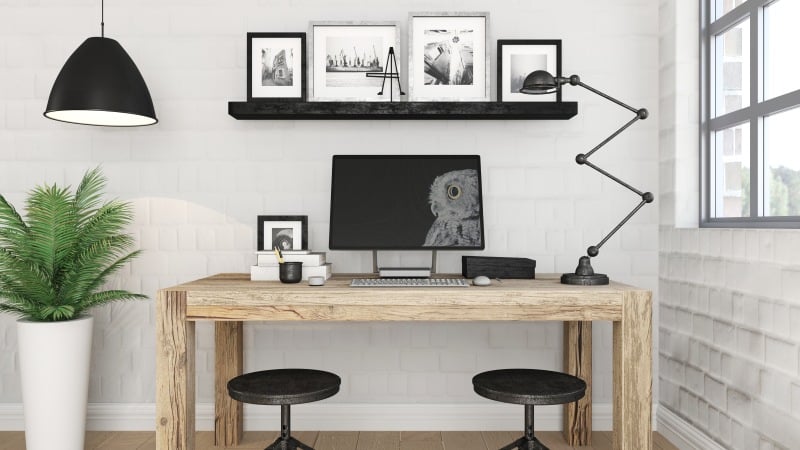
While a custom desk build can be designed to look neat and planned, its functionality is determined by what is placed under the top. The right standing desk frame makes height changes feel smooth, keeps the surface stable during focused work, and supports the weight of real gear without constant adjustments. Progressive Desk provides various types of frames compatible with custom desktops, facilitating the matching of specs to the desk’s actual usage.
The most reliable approach is simple. Start with the requirements of the setup, then select a frame whose geometry, lifting system, and controls align with those needs. That process prevents common mistakes like choosing a frame that barely fits the top, feels shaky at standing height, or cannot handle heavy monitor arms.
Define the Build Requirements Before Shopping
A standing desk is only as strong as the plan behind it. Before comparing frames, lock down three basics: the top, the load, and the user height range.
Desktop size matters because it sets leverage. Wider or deeper tops create more torque, especially when heavy equipment sits near the back edge. Material also affects mounting. Solid wood and butcher block will handle screws very well, while particleboard or some laminates might require more careful pre-drilling and the use of the correct type of fastener.
Next is total load, including what people forget to count. Monitors, monitor arms, audio gear, docking stations, and even a dense desktop surface add up quickly. It is smart to build in a margin rather than selecting a frame that only meets the load on paper.
Match Frame Architecture to How the Desk Will Be Used
Desk frames differ in more than just finish and weight limits. The real difference shows up once the desk is in daily use.
Typically, a two-stage leg design is sufficiently versatile for most home office users. It not only saves the essential functions but also extends to the height that the majority requires for comfortable sitting and standing. A three-stage design, on the other hand, offers more travel space, which is a great advantage for taller individuals and anyone who likes to stand at a higher level without exerting the frame to its maximum.
Motors are equally important. Dual motor frames usually provide a more balanced lift, especially if the desktop is wide or filled with monitors, arms, and other equipment. This equal lifting is often felt more stable during movement and lessens the feeling that one side is performing more work. Single motor frames are still dependable, but generally, they are the best option for light desktops and uncomplicated setups.
Motors shape the whole experience just as much as the frame itself. With two motors, the desk typically rises and lowers in a more balanced way, which is especially noticeable on wider tops or setups packed with monitors, heavy arms, and other equipment. The movement feels more controlled, and there is less chance of that “one side is pulling” sensation. A single-motor option can still be a solid choice, but it usually fits best when the desktop is lighter and the setup stays straightforward.
Confirm Fit and Compatibility With a Custom Top
Custom means the top is not designed around the frame. That makes fit checks essential.
Start with adjustable width range. Frames often expand to support different top sizes, but the useful range is the one that allows secure mounting points without forcing brackets into awkward positions. It is also worth checking where rails land under the surface. A well-supported top has mounting points that spread the load across the underside rather than clustering screws in a small area.
Mounting is not complicated, but it is easy to do poorly. Pilot holes reduce the risk of splitting wood. Correct screw length prevents punctures through the surface. If the top is thin, fasteners should be chosen carefully and torque should be controlled during assembly.
Some custom tops create special challenges. Extra-deep desktops, L-shaped builds, or tops with cutouts may shift weight distribution. In those cases, frame geometry and base footprint become even more important. Choosing a frame that is designed to handle wider tops can reduce wobble and protect hardware over time.
Progressive Desk frames are commonly selected for custom builds because the frame category includes options that accommodate different widths and loads, which helps match the base to nonstandard tops without overcomplicating the process.
Prioritize Controls, Power, and Cable Strategy
A desk can have strong legs and motors and still feel frustrating if the controls and wiring are an afterthought.
Keypads and remotes influence daily use. Memory presets save time and make it more likely that seated and standing positions are used consistently. A reliable control unit also reduces the temptation to leave the desk at a single height, which defeats the purpose of adjustability.
Safety features are practical, not optional. Anti-collision helps protect the desk, nearby furniture, and anything under the desktop path. It is especially useful in tight home offices where a desk might meet a window ledge, filing cabinet, or chair arm.
Powers and cable routing have to be planned before the assembly. A power strip under the top helps to keep cords off the floor. Cable routing along the frame also prevents snagging when adjusting the height. Plan for accessory readiness too. If a setup uses monitor arms, under-desk drawers, or cable trays, the underside of the desk should be clear and properly planned for the mounting locations.
One clean strategy is to treat the desk like a small system instead of a single purchase.
- Choose a frame that supports the intended top size with room for mounting flexibility
- Build in a realistic load margin for monitors, arms, and accessories
- Select controls with memory presets for repeatable posture
- Plan a cable route that moves safely through the full height range
- Confirm mounting hardware matches the top thickness and material
Dial It In for Years of Smooth Adjustments
Choose a smart desk frame that improves your comfort over time. Buy and install it focusing on reliability. Verify specs first: height range, lifting capacity, and width. Seek a sturdy base and controls with presets. For frequent moves, pick frames that re-level easily and have flat feet for uneven floors.
Level the desk during setup, especially on carpet. Tighten hardware evenly for a square frame. Recheck fittings after a week, as tops settle.
Balance heavy items left to right for stability. Position heaviest gear near the center. Mount monitor arms over supported desktop areas. A well-chosen frame fits your needs perfectly. Progressive Desk options simplify this.
