


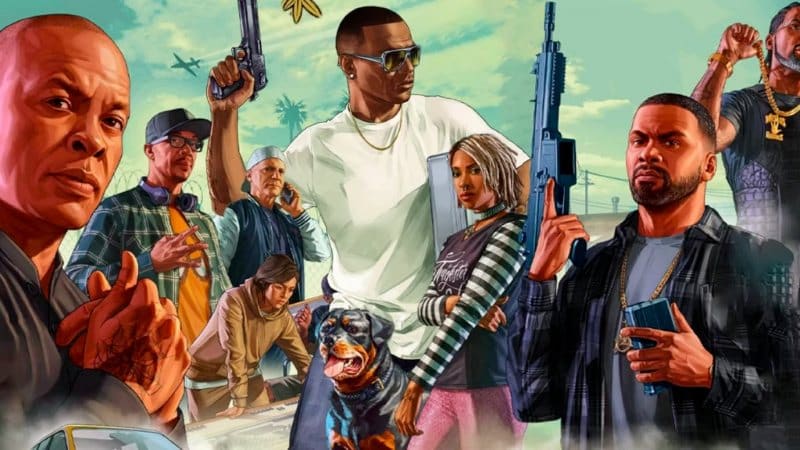
Customizing your character in GTA 5 Online is a good way to express your creativity. Maybe you manage more than one character across different GTA 5 accounts, or perhaps you simply want a look that stands out in Los Santos.
From heritage and facial structure to tattoos and outfits, the game gives you tools to shape your digital identity. In this guide, we will walk you through a step-by-step process on how to customize your character in GTA 5.
Character Creation and Heritage Options in GTA 5
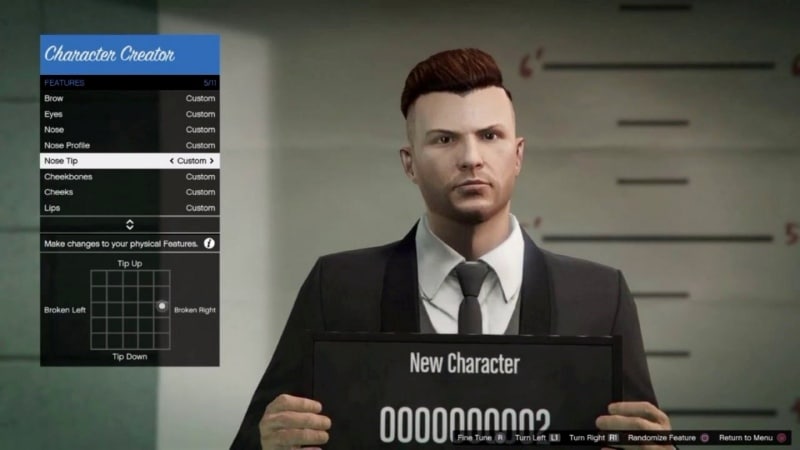 When you first make a character, you begin in a police mugshot room using the Career Builder interface. At this stage, you choose a gender that cannot be changed later. You pick mother and father from preset options or returning characters like Niko or Claude. Then you use a gene blend slider to control how much you resemble each parent.
After heritage, you adjust facial features such as brow, nose, jaw, and cheekbones using sliders. You can also pick hair style, makeup, glasses, hats, and use an age slider to give a more mature or youthful look according to in-game lore. Note that you cannot modify body shape, height, or musculature directly in the character creator.
You can request a random appearance repeatedly before confirming this base look for your character slot. Each account offers access to two character slots, so you can create diverse avatars across multiple GTA 5 accounts.
How to Edit Character Appearance in GTA 5 Later?
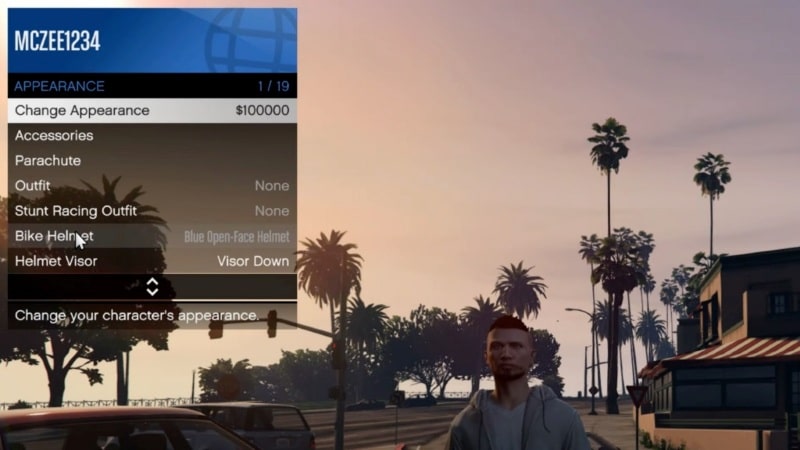 Once you are into GTA Online and have progressed through the initial tutorial, you gain access to the Ability to change your appearance via the Interaction Menu under the Appearance category. Choose “Change Appearance” and you enter the character editor. It costs GTA $100 000 but the game only charges you if you actually confirm adjustments. If you open the editor and exit without editing, nothing is deducted.
You cannot change gender through this system. Some players unlock the appearance option for their original character by creating a second character, finishing its tutorial, then switching back, which makes the option appear for the first character.
Styling with Hair, Makeup, Clothing, and Tattoos
After facial features are set, you can customize further using shops around Los Santos. Barber shops let you change your hairstyle, hair colour, highlights, makeup, and eyebrows. These changes cost modest amounts of in-game money, but can be done repeatedly.
Clothing shops allow you to mix and match outfits and save combinations. However, each character can save up to ten different outfit saves, and outfit selections cost a modest fee per purchase.
Tattoo parlors let you apply body ink with flexible placement and opacity settings, although tattoos can cost a few hundred dollars depending on design and coverage. These style elements let you refine your character’s personality, whether you are roleplaying or simply want a unique look.
Best Community Tips for Getting a Unique Look
 Veteran players frequently share tips on forums to help make appealing characters. A commonly recommended approach is to begin with no hair and no makeup. That blank canvas helps you sculpt facial structure before adding styling layers. As one user put it, “first remove makeup and make them bald, then work on features”.
Additionally, small adjustments to parental heritage sliders often create significant improvements to bone structure and tone. Reliable advice is also to save frequently and make incremental tweaks instead of one big change. Tutorials on YouTube also walk through realistic feature values, hair styles, and makeup that deliver polished character designs.
Recommended Workflow for Multiple Characters or Accounts
If you are managing multiple GTA 5 accounts or character slots, the following workflow helps maintain quality and consistency. Begin with Career Builder to establish a base face. Complete the in-game tutorial on one slot to unlock the Change Appearance feature. Then edit your main character using that feature.
Use barber shops and clothing stores to refine style. Save outfits and hair choices once they represent the personality you aim for. Repeat for your second character if you need a fresh identity. This allows each character to retain a distinct identity while using the same base mechanics.
Conclusion
Fully customizing your character in GTA 5 Online offers creative freedom. Starting with the Career Builder lets you design your base identity using heritage and facial sliders. After unlocking the Change Appearance system, you can make deeper edits for GTA $100 000 only when changes are finalized.
Hair, makeup, tattoos, and outfits let you define the style and persona of each avatar. By taking advice from experienced players, such as starting clean, adjusting heritage sliders carefully, and saving looks as you go, you can craft characters that stand out in any session.
Take your time and enjoy the process. Your character is your identity in Los Santos. Make it count in a way that feels true to your style.
