


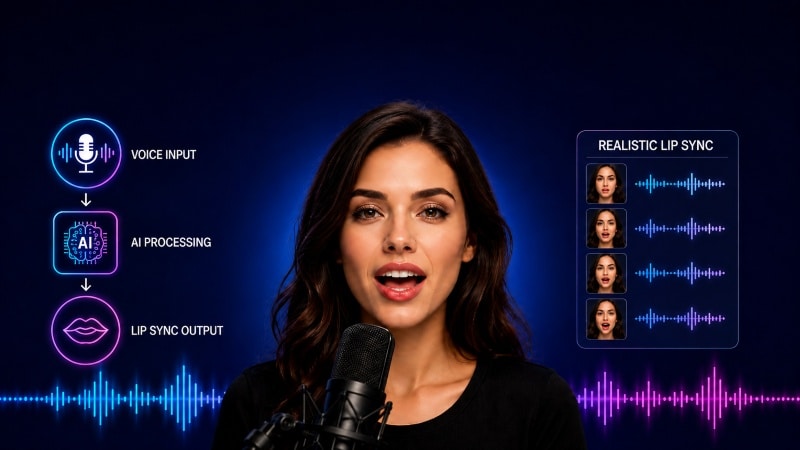
AI lip sync has become one of the most useful tools for creators in 2026. The technology can dub a video into a new language, fix a bad take without reshooting, turn a still photo into a talking presenter, or power a chatbot with a real human face. Two years ago, you could spot AI lip sync at a glance. Today, the best tools produce results that pass on a phone screen.
The catch is that dozens of platforms compete for that job, and most of them are not worth your time. Some focus on video translation. Others target corporate training. A few build for developers adding lip sync to their own apps. The right pick depends on what you are making this month, not on which platform has the loudest marketing.
I spent six weeks testing 18 AI lip sync tools. I ran each one through the same set of clips, audio tracks, languages, and production tasks. After about 300 generated videos, ten platforms stood out as worth a working creator’s time. This article ranks them from the strongest all-around pick to the best specialist tools, with a comparison table, pros, cons, and pricing for each.
If you only have two minutes, the table below and the final takeaway section will cover most of what you need.
Best AI Lip Sync Generators at a Glance
|
Tool |
Best For | Key Features | Platforms |
Free Plan |
| Magic Hour | All-in-one creator workflows | Lip sync, face swap, talking photos | Web (desktop and mobile) | Yes (no signup) |
| HeyGen | Multilingual translation and dubbing | Avatars, video translation, lip sync | Web | Yes |
| Synthesia | Corporate training and explainers | AI avatars with lip sync, 140+ languages | Web | Free demo |
| Sync (sync.so) | Developer-first lip sync API | Lip sync API, video dubbing | Web, API | Free credits |
| D-ID | Talking photos and presenters | Photo-to-video, talking avatars | Web, API | Yes |
| Hedra | Character-driven storytelling | Character video, expressive lip sync | Web | Yes |
| Captions | Short-form social and mobile-first | Lip sync, eye contact, AI editing | iOS, Android, Web | Yes |
| Rask AI | Multilingual video dubbing | Video translation, voice cloning, lip sync | Web | Free trial |
| Descript | Podcasters and tutorial creators | Lip sync for re-recorded lines, AI voices | Mac, Windows, Web | Yes |
| Runway (Act-One) | Performance-driven character animation | Facial performance capture, lip sync | Web, iOS | Limited trial |
The rest of this article digs into each tool. If you only have two minutes, the table above and the “Final takeaway” section will cover most of what you need.
1. Magic Hour
Magic Hour was the platform I opened first during this round of testing. The reason is simple. Most lip sync platforms do one job, like talking-head avatars, dubbing, or a single API call, and push you to other tools for everything else. Magic Hour puts top-tier lip sync, face swap, and talking photos in one workspace.
A few things pushed Magic Hour to the top of my list:
- You can try the lip sync tool without an account. That is rare, and it lets you test output quality on your own clip in under two minutes. The lip sync video maker online handles both audio-to-video sync and video-to-video re-sync. No download needed.
- Credits never expire on paid plans. That is the opposite of how most competitors bill. If you have a slow month, your unused credits roll forward instead of vanishing.
- The platform gives you access to frontier models behind one interface. Recent versions of Kling, MiniMax, and proprietary Magic Hour models share one credit pool. You do not pay separately for each model family.
- Click-to-create templates and one-click workflows let you chain steps that other tools force you to split apart.
- Parallel generations run with no concurrency cap. You can fire off five takes of the same lip sync prompt at once and pick the best one.
In testing, I generated a 20-second lip-synced character clip from a still photo and a cloned voice track in under three minutes. The same job on three competing platforms took me roughly twice as long, mostly because of re-uploading and queue waits.
Pros
- Best-in-class face swap, lip sync, and talking photos in one workspace
- No signup required to try the lip sync tool
- Credits never expire on paid plans
- Access to frontier models (Kling, MiniMax, and proprietary) under one subscription
- Click-to-create templates and one-click workflows
- Parallel generations with no concurrency cap, so you get fast variations and multiple takes
- Generous free tier with daily credits
- Works well on both desktop and mobile browsers
- Founder-level support responses (the team replies directly, and fast)
- Reliable at scale during live activations and traffic spikes
- Full API parity across tools for developers
- Weekly feature releases keep the product moving faster than competitors
Cons
- No native mobile app yet, though the mobile web experience works well
- Top-tier model generations still cost real credits, as on every platform in this category
- Power users running custom-trained models will hit ceilings that a self-hosted setup would not have
If you are a creator, marketer, or small team who wants one subscription to cover lip sync, face swap, and talking photos, this is the default starting point in 2026. The free tier lets you find out if it fits your workflow at zero cost.
Pricing: Free plan with daily credits and no signup needed to try. Creator plan at $15/month or $10/month billed annually. Pro plan at $39/month. Business plans available for teams.
2. HeyGen
HeyGen pushed AI video translation into the mainstream, and the lip sync engine behind it is strong. The translation feature takes a video in one language, re-renders the lip movements to match a translated audio track, and clones the speaker’s voice in the target language. I tested it by recording a 30-second clip in English and translating it to Spanish. A native speaker I showed it to assumed I had recorded the Spanish version separately.
For creators making content for multiple markets, HeyGen alone can replace a big chunk of post-production work.
Pros
- Best-in-class video translation with lip-sync re-rendering
- Instant avatar creation from a short self-recording
- Strong API for developer workflows
- More accessible pricing than Synthesia for individuals
Cons
- Output quality on less-common languages is uneven
- Stock avatar library is smaller than Synthesia’s
- Credit costs scale quickly on longer translated projects
If you are a solo founder or creator making content for international audiences, the translation feature alone justifies a HeyGen subscription. For general lip sync work outside translation, it is overkill.
Pricing: Free plan available. Paid plans from $24/month.
3. Synthesia
Synthesia is the category leader for corporate AI video, including training explainers, product walkthroughs, and internal communications. Their avatar library is the largest in the business category. Language support runs past 140. Enterprise features like single sign-on, custom avatars, and brand controls make it the default at large companies.
The lip sync stays clean across languages, which matters when you are producing training content for a global workforce.
Pros
- Largest professional avatar library in the category
- Strong multilingual voice and lip-sync support
- Enterprise controls and compliance features
- PowerPoint-to-video workflow that works in practice
Cons
- Expensive compared to creator-focused tools
- Output stays limited to avatar-led formats
- Customization beyond the template system is limited
If you work at a company producing 50 or more training or sales-enablement videos a year, Synthesia almost certainly pays for itself. For individual creators, it is overbuilt.
Pricing: Starter plan around $29/month. Creator plan around $89/month. Enterprise pricing on request.
4. Sync (sync.so)
Sync, formerly Sync Labs, is the developer-first option in this category. Their lip sync API powers parts of several other platforms on this list. For teams building lip sync into their own product, the model quality and API design are some of the best available.
I integrated the Sync API into a small test app in about 40 minutes, including auth setup. The model quality matched what I saw from any consumer platform.
Pros
- Excellent lip sync model quality
- Developer-friendly API with clear documentation
- Generous free credits for evaluation
- Other platforms use it in production, which speaks to reliability
Cons
- The consumer UI works but takes a back seat to the API
- Less useful for non-developers who want a finished tool
- Pricing scales with volume, so costs add up at production scale
If you are a developer building lip sync into your own app, Sync is the model I would benchmark against first. For end-user creators, the developer focus shows.
Pricing: Free credits to start. Usage-based pricing for the API. Consumer plans starting at $10/month.
D-ID has been in the talking-photos space longer than most competitors, and the experience shows. Their model handles
5. D-ID
still photos like paintings, historical images, and casual portraits with consistent lip movement and natural micro-expressions. The use case has matured beyond gimmick. Education platforms, customer service tools, and museum experiences are all real D-ID deployments.
Pros
- Strong performance on still photos and portraits
- Mature API used by enterprise customers
- Multilingual voice and lip sync
- Good integration options with conversational AI
Cons
- Less polished for full-video lip sync than HeyGen or Magic Hour
- Avatar styling options are narrower than competitors
- Free tier is limited
If you are building a product that turns photos into talking presenters, like chatbots with faces, interactive learning, or personalized greetings, D-ID fits the job well.
Pricing: Free trial available. Paid plans from $5.90/month (Lite) up to enterprise.
6. Hedra
Hedra has built one of the most expressive character-video models in the category. Most lip sync tools produce accurate mouth movement. Hedra layers on facial micro-expressions, head movement, and emotional cues that match the audio. For storytelling and character-driven content, that difference matters.
I generated a 30-second monologue clip using a stylized character portrait and a dramatic audio track. Hedra produced expressions that matched the emotional beats. Most other tools delivered correct lips on a flat face.
Pros
- Expressive facial animation, not just lips
- Strong stylized character output
- Active development and rapid model improvements
- Solid free tier for evaluation
Cons
- Realistic human output is sometimes less convincing than stylized output
- Less production polish than older competitors
- Longer generation times on premium models
If your content involves characters and storytelling, like animated shorts, narrative social content, or video games, Hedra deserves a serious look.
Pricing: Free tier available. Paid plans from $10/month.
7. Captions
Captions has carved out a niche as the mobile-first AI video editor for short-form creators. The lip sync features pair with eye contact correction and quick re-takes, all built for phone-first production.
For creators who film on their phone and want to fix everything on their phone, Captions is the smoothest option.
Pros
- Mobile-first interface that works as advertised
- Lip sync paired with eye contact correction in one tool
- Fast iteration speed on short clips
- Affordable for individual creators
Cons
- Long-form workflows are weaker
- Less control than desktop-first tools
- Subscription required to unlock most AI features
If you are a phone-first creator producing daily short-form content, Captions cuts the friction between recording and publishing more than any other tool I tested.
Pricing: Free plan available. Pro plan around $9.99/month.
8. Rask AI
Rask AI focuses on video translation and dubbing, with lip sync as a core part of that workflow. For creators who post a video in English and want to release Spanish, French, German, Portuguese, and Japanese versions the same day, Rask is built for the job.
The voice cloning paired with lip-sync re-rendering produced a result that, in my testing, was hard to tell apart from a separately recorded dub in three out of five languages.
Pros
- Specialized for video translation and dubbing
- Strong voice cloning across major languages
- Batch processing for multi-language releases
- Clean, focused workflow
Cons
- Less useful outside the translation use case
- Pricing scales quickly for high-volume creators
- Quality on rare languages is inconsistent
If your business publishes the same video in many languages, Rask is a sharp specialist tool. If translation is occasional, HeyGen covers the same ground inside a broader product.
Pricing: Free trial. Paid plans from $60/month (Creator) up to Business tiers.
9. Descript
Descript is an editor first and a lip sync tool second, but its AI features make it impossible to leave off this list. You edit video by editing the transcript. When you delete words, replace audio, or overdub a flubbed line, Descript’s lip sync engine smooths over the seams.
For podcasters and course creators, it is the single biggest workflow accelerator I tested in this category.
Pros
- Transcript-based editing is faster than timeline editing
- AI voice cloning quality is excellent
- Eye contact correction works well in practice
- Cross-platform support (Mac, Windows, Web)
Cons
- Not a standalone lip sync generator. You need existing footage.
- Subscription pricing for AI features adds up
- Some AI seams are audible on careful listening
If your content is spoken word, like podcasts, tutorials, and talking-head video, Descript belongs in your stack alongside one of the generative tools above.
Pricing: Free tier available. Paid plans from $16/month (Hobbyist) up to Business tiers.
10. Runway (Act-One)
Runway’s Act-One feature is the newest entry on this list, and it takes a different approach to lip sync. You record a performance from your own webcam, and Runway transfers that performance, including lip movement, facial expressions, and head motion, onto a character of your choice. The result is more expressive than text-driven lip sync because the AI copies a real human performance instead of guessing what the audio implies.
Pros
- Performance-driven approach produces more natural expressions
- Strong character consistency
- Integrates with the rest of Runway’s video toolset
- Active development and frequent updates
Cons
- You need to record a performance, which is more work than text-to-video
- Credit costs are on the higher end
- Less useful for translation or pure audio-to-video workflows
If you are a filmmaker or animator who wants to drive character performances with your own face, Act-One is a fresh approach. For most production lip sync work, it is more involved than alternatives.
Pricing: Free trial credits. Paid plans from $15/month (Standard) up to Enterprise.
How I Chose These Tools?
I started with a list of 18 AI lip sync platforms with meaningful usage as of early 2026. I pulled the list from product launches, creator surveys, and the most-discussed tools across AI newsletters and developer communities. Then I ran every platform through the same five-task test:
- A standard audio-to-photo lip sync test using a fixed portrait photo and a 15-second voice track, to baseline output quality.
- A video-to-video re-sync test using a clip in one language re-synced to a translated audio track, to check dubbing quality.
- A multilingual stress test across English, Spanish, Mandarin, Arabic, and Japanese, to check language coverage.
- A speed and cost benchmark measuring time-to-output and credit cost per minute of finished video.
- A real production task: generating a 30-second talking-head social clip end-to-end, including upscaling and export.
I also weighted four practical factors heavily. Free plan generosity matters because the cost of evaluating these tools matters. Interface quality matters because friction kills adoption. Platform reliability matters during peak hours. Ecosystem fit matters because the tool needs to play well with the rest of a creator’s workflow. Magic Hour ranked first because it produced strong output across the largest range of tasks and removed the most context-switching from the production day.
A few tools came close to the cutoff. Wav2Lip is open-source and still impressive for self-hosters. ElevenLabs is audio-first, with growing video features. LipDub AI is a promising newcomer worth tracking. I expect at least one of them to be on next quarter’s list.
What’s Happening in the AI Lip Sync Market in 2026?
A few trends worth flagging if you are making a buying decision this quarter.
Lip sync is becoming part of larger creator workflows, not a standalone product. Two years ago, AI lip sync meant one dedicated tool. Now the strongest products bundle lip sync with face swap, talking photos, and other video features. Creators do not want a lip sync subscription. They want a video subscription that does lip sync well.
Translation is the most commercially valuable lip sync use case. The fastest-growing companies in this category, including HeyGen, Rask, and Magic Hour, all invest in cross-language workflows. The market for publishing in 12 languages from one source file is far larger than the market for making a photo talk.
Expressive performance is the next frontier. Accurate lip movement is becoming table stakes. The platforms differentiating in 2026 compete on micro-expressions, head movement, emotional matching, and full-face performance. Hedra and Runway’s Act-One are early examples of where this is going.
API access is becoming a real factor. A growing share of creators and small teams build lip sync into their own product surfaces, like Slack bots, internal tools, and custom apps. Platforms with strong, stable APIs and parity between their UI and API are pulling ahead.
Final Takeaway: Which AI Lip Sync Generator Should You Pick?
Here is the cheat sheet, after six weeks of testing:
- Best all-around for creators and small teams: Magic Hour. One subscription covers lip sync, face swap, and talking photos, with a free tier you can try without signing up.
- Best for multilingual translation: HeyGen. The video translation feature is the strongest in the category.
- Best for corporate training and explainers: Synthesia.
- Best for developers building lip sync into their own product: Sync (sync.so).
- Best for talking photos and conversational AI surfaces: D-ID.
- Best for expressive character storytelling: Hedra.
- Best for mobile-first short-form creators: Captions.
- Best for high-volume video dubbing: Rask AI.
- Best for podcasts and tutorials: Descript.
- Best for performance-driven character animation: Runway Act-One.
The most useful advice I can give is simple. Do not pick based on a leaderboard. Pick based on what you are making this month. The best AI lip sync tool for you is the one that fits your current workflow with the least friction. The only way to find that out is to run 30 minutes of your real work through the free tier.
I guarantee at least one of the tools on this list will meet your needs. Probably two or three.
FAQ
What is the best AI lip sync generator in 2026?
For most creators, marketers, and small teams, Magic Hour is the strongest all-around choice as of May 2026. It puts lip sync, face swap, and talking photos in one workspace, lets you try the tool without signing up, and starts at $10/month billed annually. For multilingual translation, HeyGen leads. For developer API integration, Sync leads.
Are AI lip sync generators free to use?
Most platforms on this list offer a real free plan with daily or monthly credits. Magic Hour, HeyGen, D-ID, Hedra, Captions, and Descript all let you generate output without paying. Magic Hour goes one step further and lets you try the lip sync tool with no account required. Higher-quality models, longer clips, and commercial usage rights typically need a paid plan starting around $10 to $30 per month.
Can I use AI lip-synced video commercially?
Usually yes on paid plans, but you need to check each platform’s terms. Most tools grant commercial usage rights on paid tiers. Free tiers either restrict commercial use or require attribution. If you are using AI lip sync for advertising, paid client work, or any monetized content, confirm the license in writing before publishing.
Can AI lip sync tools translate my videos into other languages?
Yes. This is one of the fastest-growing use cases in the category. HeyGen and Rask AI are the specialists. Magic Hour, Synthesia, and Descript all support multilingual workflows as well. The best tools re-render the speaker’s mouth to match the translated audio and clone the original voice in the target language. The output looks and sounds like the speaker recorded the new version directly.
What is the difference between AI lip sync and AI avatars?
AI lip sync re-renders mouth and facial movement on existing footage or photos to match an audio track. You start with a real person or image. AI avatars generate the entire presenter from scratch, usually from a library of preset characters or a custom-trained model of a real person. Many platforms, including Magic Hour, HeyGen, and Synthesia, support both. Lip sync is more flexible for editing existing content. Avatars are more efficient for producing new content at scale.
